Ambit Trail
Ambit Trail provides a timeline of events that occurred in your application leading up to an issue. It helps you understand what happened before a crash or error, making it easier to reproduce and debug problems in production.
What Ambit Trail Captures
By default, Ambit Trail tracks a variety of activities:
- App lifecycle events – when the app starts, pauses, resumes, changes views, or terminates
- Connectivity status – detects when the device goes offline or comes back online
- Events – custom actions or tracked operations performed within the app
- Errors – non-fatal and fatal issues that help explain unusual behavior
Viewing the Ambit Trail
When a crash or issue is reported, the Ambit Trail is attached to the event data. You can view it in your monitoring dashboard to trace the exact sequence of actions that led up to the problem.
Dashboard Trail
Info
Each session represents a continuous period of user activity within your application. During a session, Ambit Trail automatically records key information.

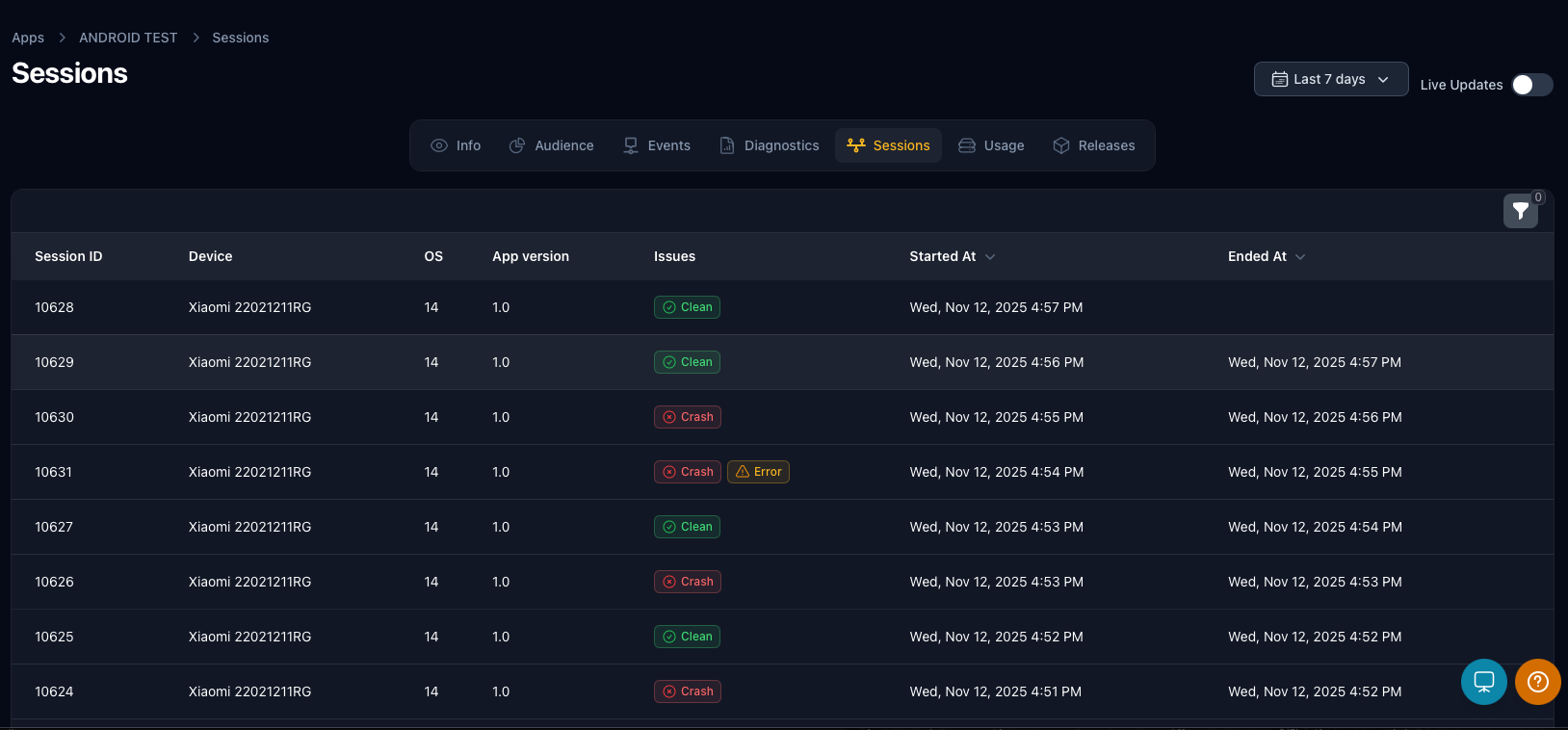
Detailed Trail
Info
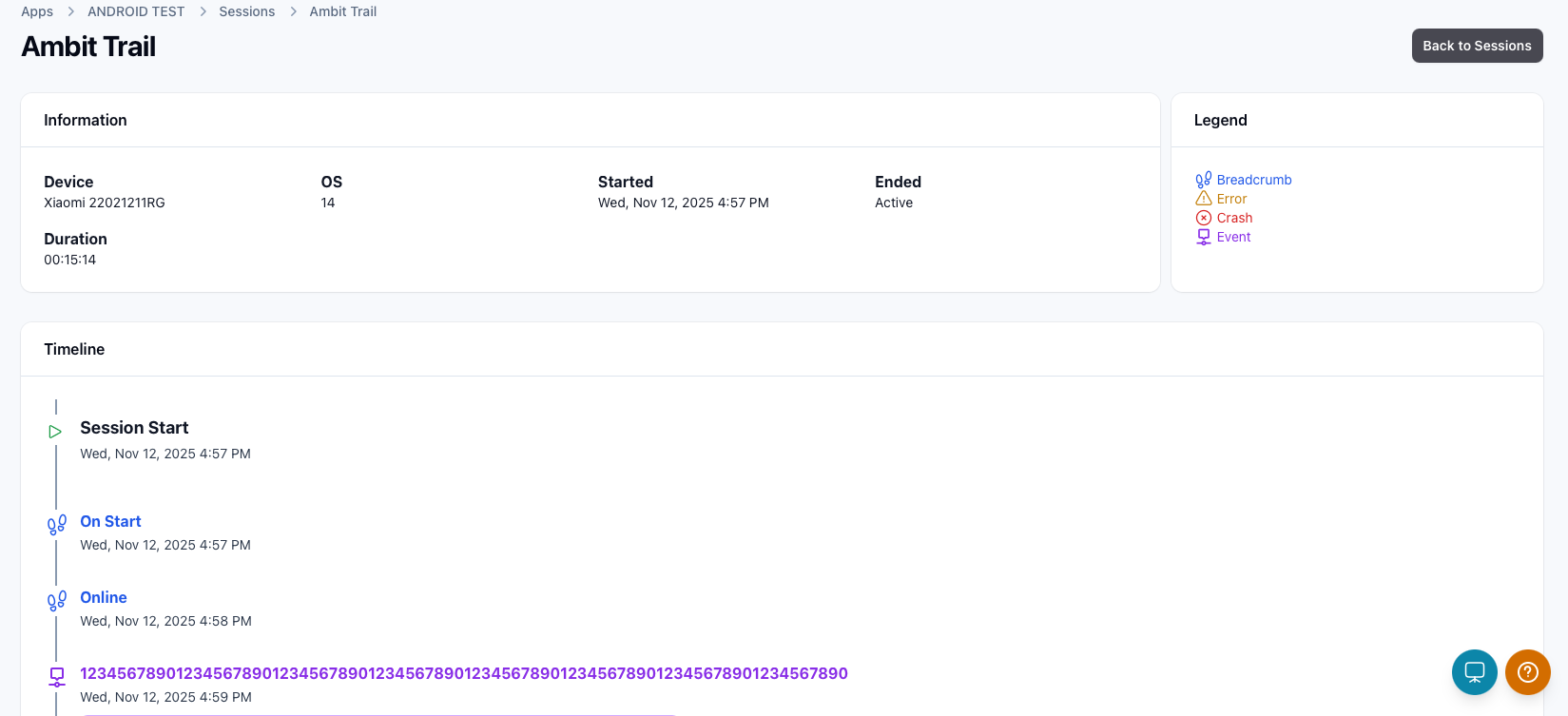
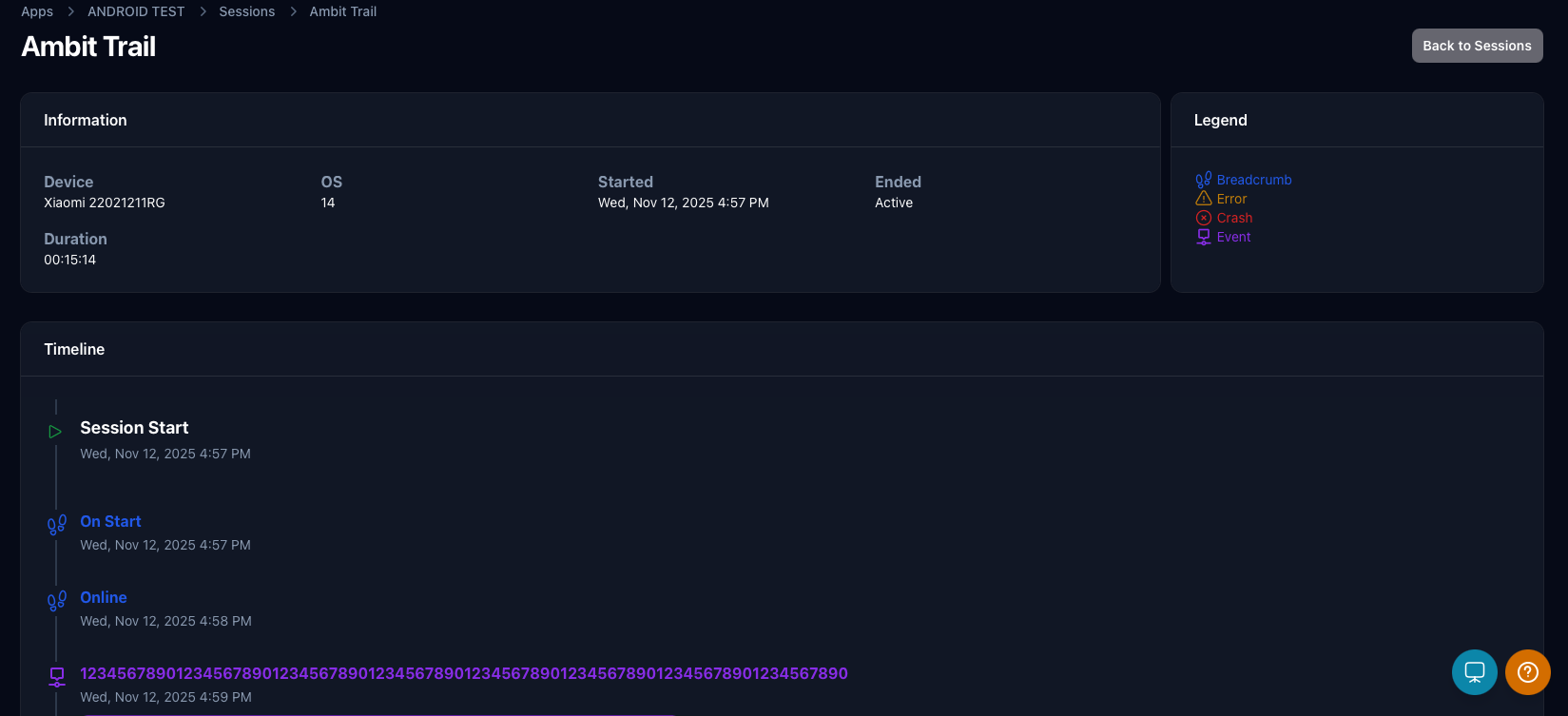
The detailed view provides a complete visualization of the user session, combining general session information with a chronological sequence of recorded actions.
Information panel
The information panel summarizes key session details, including:
- Device – the model or identifier of the user's device
- OS – the operating system version the app was running on
- Started / Ended – timestamps showing when the session began and when it ended (or if it's still active)
- Duration – total length of the session
These details help correlate app behavior with specific devices, environments, and session lengths.
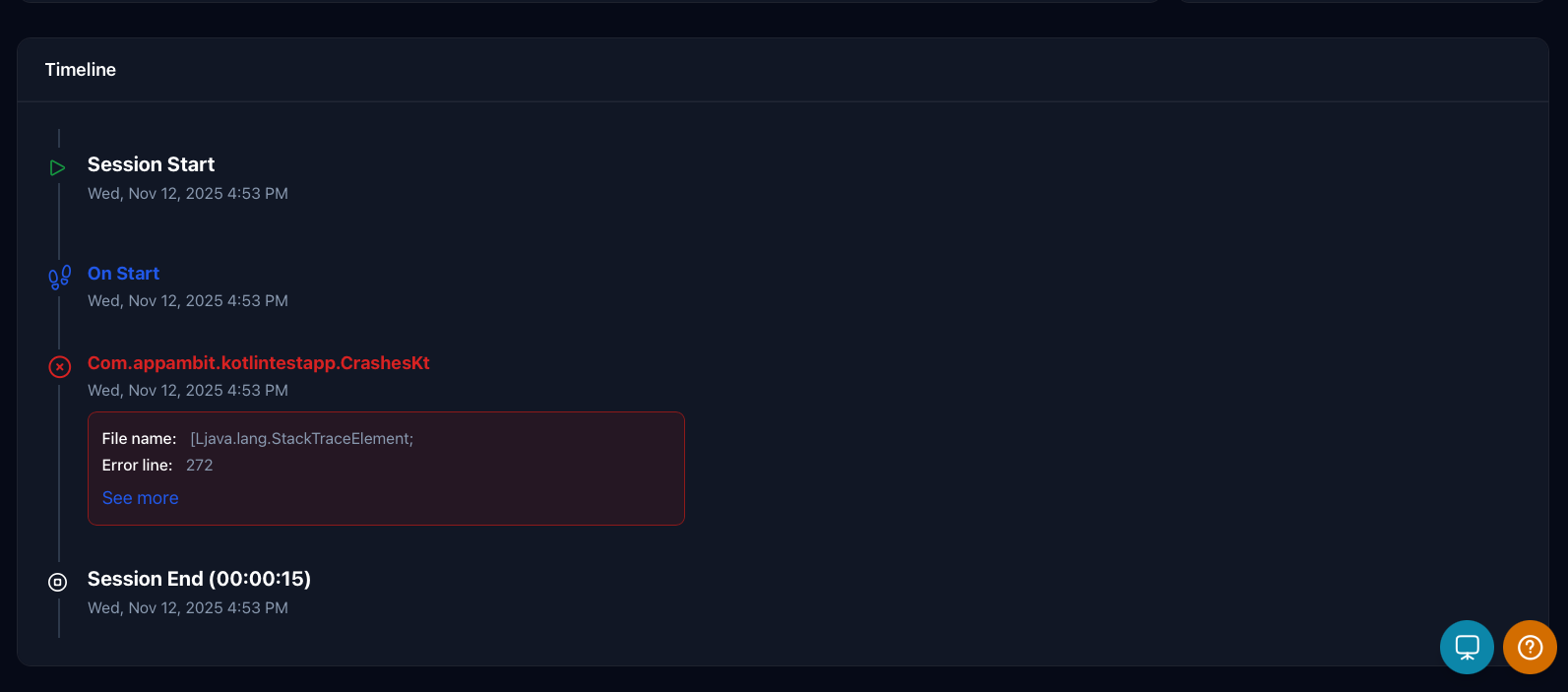
Timeline
Info
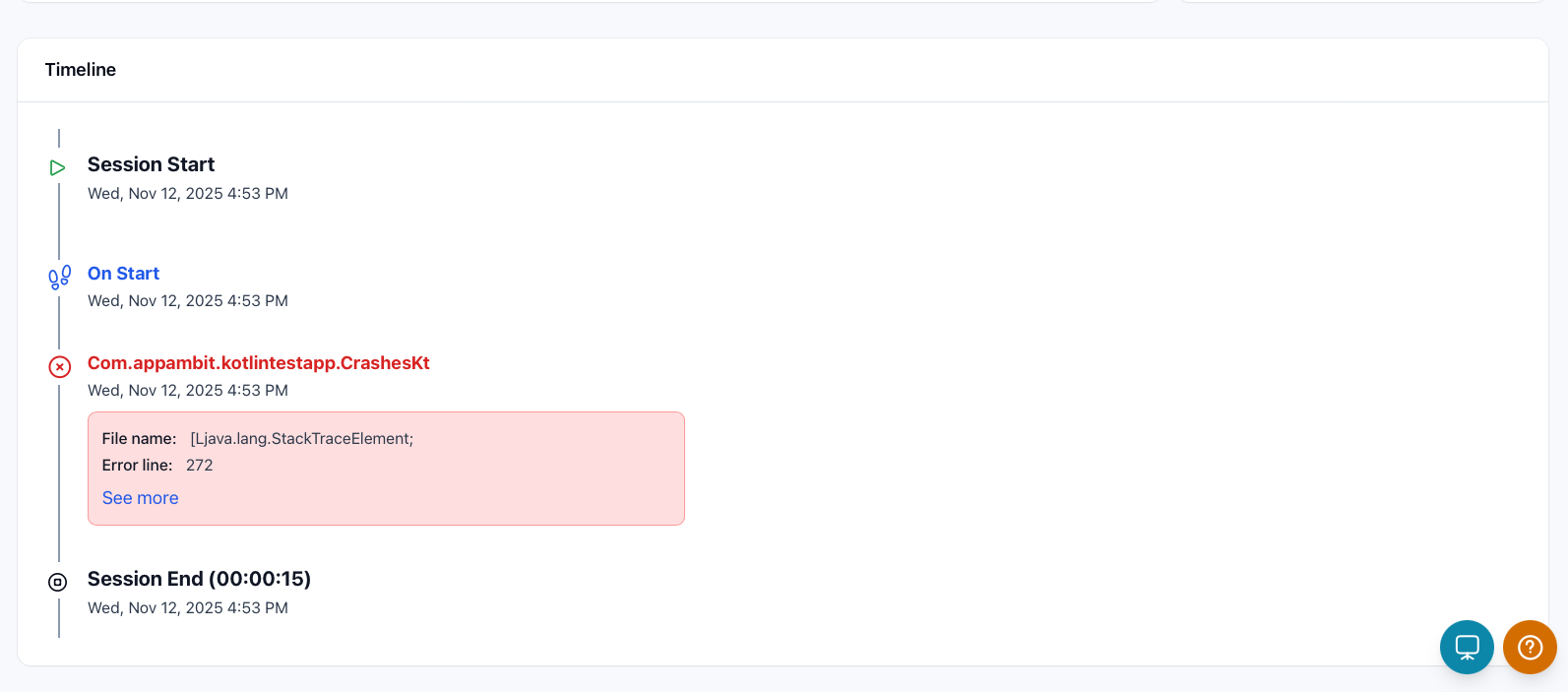
Below the panels, the timeline displays every action in chronological order, showing when each occurred relative to the session start. This view makes it easy to trace the exact flow of app activity and understand what led up to a specific issue or crash.
Enabling / Disabling Ambit Trail
You can enable or disable Ambit Trail depending on your app's needs or environment. This is useful if you want to turn it off in production or during performance-sensitive operations.
Note
AppAmbit Trail is enabled by default. To disable it, enable manual sessions before initializing the SDK.
public static MauiApp CreateMauiApp()
{
    // AppAmbit Trail is enabled by default. To disable the AppAmbit Trail enable manual sessions.
    // Uncomment the line below to disable the AppAmbit Trail feature.
    //Analytics.EnableManualSession();

    var builder = MauiApp.CreateBuilder();
    builder
        .UseMauiApp<App>()
        .UseAppAmbit("<YOUR-APPKEY>");

    return builder.Build();
}
Swift
import SwiftUI
import AppAmbit;

@main
struct AppAmbitTestingApp: App {
    init() {
        // AppAmbit Trail is enabled by default. To disable the AppAmbit Trail enable manual sessions.
        // Uncomment the line below to disable the AppAmbit Trail feature.
        //Analytics.enableManualSession()
        AppAmbit.start(appKey: "<YOUR-APPKEY>")
    }
    var body: some Scene {
        WindowGroup {
            ContentView()
        }
    }
}
Objective-C
#import "ViewController.h"
@import "AppAmbit";

- (void)viewDidLoad {
    [super viewDidLoad];
    // AppAmbit Trail is enabled by default. To disable the AppAmbit Trail enable manual sessions.
    // Uncomment the line below to disable the AppAmbit Trail feature.
    //[Analytics enableManualSession];
    [AppAmbit start:@"<YOUR-APPKEY>"];
}
Java
import com.appambit.sdk.Analytics;
import com.appambit.sdk.AppAmbit;

@Override
protected void onCreate(Bundle savedInstanceState) {
    // AppAmbit Trail is enabled by default. To disable the AppAmbit Trail enable manual sessions.
    // Uncomment the line below to disable the AppAmbit Trail feature.
    //Analytics.enableManualSession();
    AppAmbit.start(getApplicationContext(), "<YOUR-APPKEY>");
    ...
}
Kotlin
import com.appambit.sdk.Analytics;
import com.appambit.sdk.AppAmbit;

override fun onCreate(savedInstanceState: Bundle?) {
    super.onCreate(savedInstanceState)

    // AppAmbit Trail is enabled by default. To disable the AppAmbit Trail enable manual sessions.
    // Uncomment the line below to disable the AppAmbit Trail feature.
    //Analytics.enableManualSession()
    AppAmbit.start(this, "<YOUR-APPKEY>");
    ...
}
import 'package:appambit_sdk_flutter/appambit_sdk_flutter.dart';

void main() {
  // AppAmbit Trail is enabled by default. To disable it, enable manual sessions.
  // Uncomment the line below to disable the AppAmbit Trail feature.
  //Analytics.enableManualSession();
  AppAmbitSdk.start("<YOUR-APPKEY>");
  runApp(MyApp());
}
    import { start, enableManualSession } from "appambit";

    export default function App() {
      useEffect(() => {
        enableManualSession();
        start("<YOUR-APPKEY>");
      }, []);
    }
public partial class App : Application
{
    protected override void OnStartup(StartupEventArgs e)
    {
        base.OnStartup(e);
        // AppAmbit Trail is enabled by default. To disable the AppAmbit Trail enable manual sessions.
        // Uncomment the line below to disable the AppAmbit Trail feature.
        //Analytics.EnableManualSession();
        AppAmbitSdk.Start("<YOUR-APPKEY>");
    }
}
public partial class App : Application
{
    public override void OnFrameworkInitializationCompleted()
    {
        // AppAmbit Trail is enabled by default. To disable the AppAmbit Trail enable manual sessions.
        // Uncomment the line below to disable the AppAmbit Trail feature.
        //Analytics.EnableManualSession();
        AppAmbitSdk.Start("<YOUR-APPKEY>");
        ...
        base.OnFrameworkInitializationCompleted();
    }
}